Executive operating briefs
Connect material changes across revenue, delivery, finance and people to business priorities.
Founders & CXOs
Stop asking five people for the same number. See your forecast, your biggest risks, and what needs your attention — updated live, not in a weekly report.
Active workspace projection
One screen. Every red flag. Full context.
Source-linked records
Assembled with provenance from authorized tools.
Scoped option ready
Evidence-backed next step prepared for inspection.
Human review gate
Consequential actions wait for explicit approval.
See business goals, operating signals and decisions with the responsibilities behind them.
Connect material changes across revenue, delivery, finance and people to business priorities.
Relate a blocked goal to its dependencies, owners and customer or financial consequences.
Assemble options, assumptions and supporting evidence before committing resources.
Carry an approved decision into responsible teams and review the observed results against the goal.
These feature patterns use connected, permitted information. Supported systems and authorized actions are confirmed for your deployment.
Run daily work in editable dashboards. Build documents, tables and context graphs in Canvas with reusable UI Library blocks. Both share the blue Workbench shell.
Review Customer Service & Support records, KPIs and items needing attention. Search, filter and inspect without leaving the Workbench.
What you see in this frame
Shows 2 tracked Spine context items (tkt-501, tkt-502), readiness state (92%), and direct Review Plan / View Evidence controls.
Interactive Storyboard Steps
Step through each operational action inside the dashboard:
Track operational items, readiness state and review plans in one unified table.
Revise local draft notes, owners and due dates right beside connected records.
Filter by keyword or approval status (Review, In Progress, Approved) in place.
Launch Inspect or Ask Twin directly from any entity row in the role shell.
Captured from the running application dashboard with existing QA fixtures and a reviewed local draft/status repair that is pending application integration. Edits remain in the scoped local outbox. Connected-source changes require the authorized workflow. This capture does not demonstrate a freeform dashboard layout editor.
Combine editable text, record tables, metric blocks and Twin assistance in Canvas.
Native application components composed locally with existing QA fixture records. Populated Canvas captures use the component’s record input; the routed page does not yet supply them. Canvas composition edits are local to the view; saved layouts are not demonstrated. Sync and host badges do not verify connections or completed actions.
Visual Storyboard · 6-Stage E2E Flow
Follow the renewal and SLA follow-up journey implemented in the application: enter, assemble context, prepare a proposal, review authority, check the outcome and resume the work.
One Auth resolves the person, organization and workspace membership. Both entry paths converge on the same authorized workspace.
What carries forward: Your identity, workspace and role.
Explore governed continuity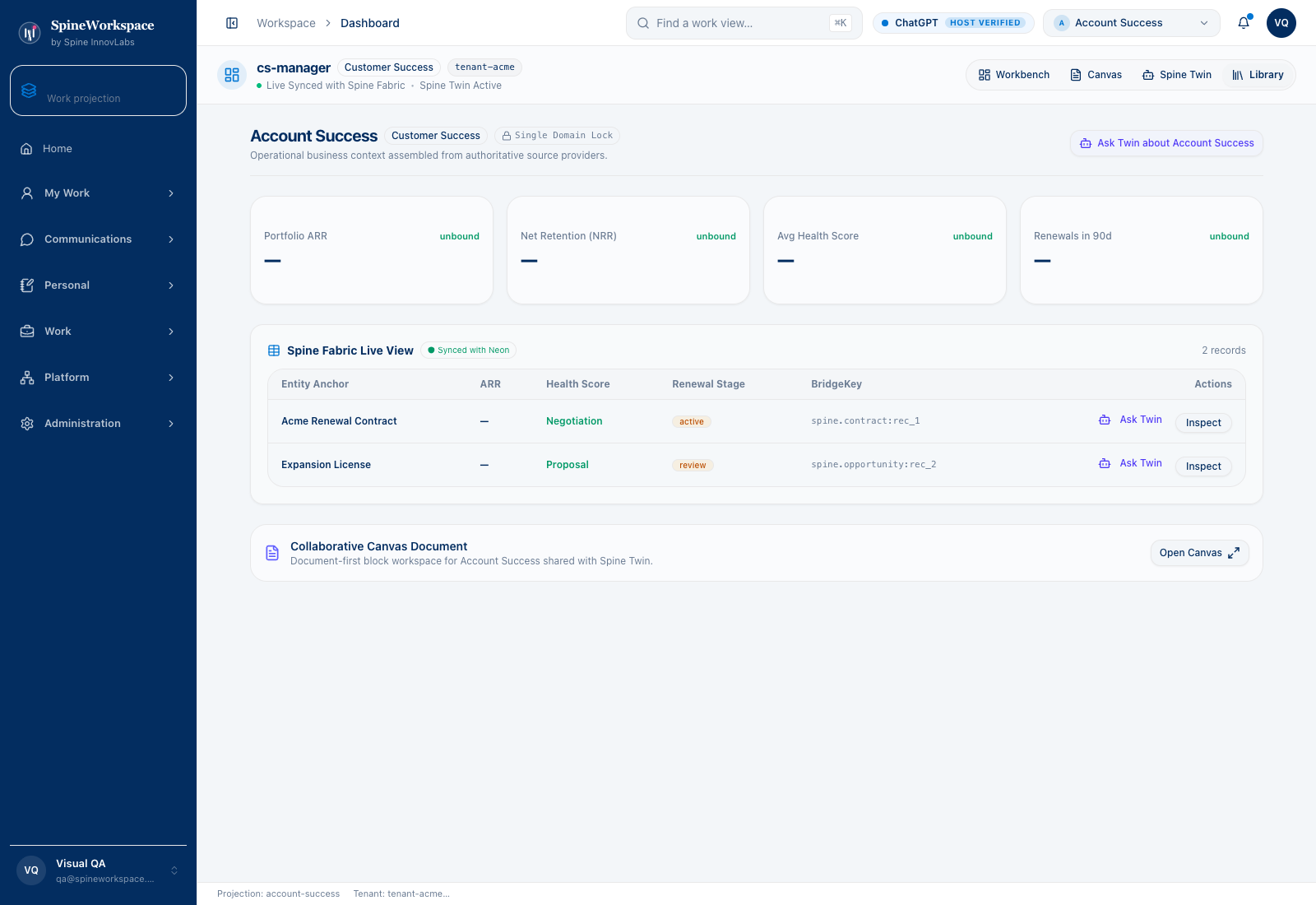 Detail preview · Enlarge for full view
Based on the October 15 repository journey report, which records 18 passing steps. The verification script combines deployed-service checks with a constructed email and controlled provider adapter. This walkthrough describes that recorded test scope; it does not establish live customer results or independent provider delivery.
Value Architecture · Founder Ops Workbench

Founder Ops projection.The captured FounderOps fixture relates $94K MRR, $625K pipeline, four clients and three open deals. Its deal table connects opportunity values to stages and named contacts.
Drill down into individual high-value deals, review company-wide operational items, monitor client health indicators, and direct executive attention to overdue commitments.
Eliminates piecing together revenue spreadsheets, pulling CRM deal reports, and scheduling status syncs just to know current business pulse.
Provides leadership with immediate, cohesive operating context across business systems without manual spreadsheet assembly.
Explore the complete declared view registry, connector bindings, and governed automation workflows for Founder Ops.
Watch the shared navigation, operating view and work-view search respond in a recording of the actual Workbench application.
Recorded October 14 from the actual local Workbench using existing QA fixtures. The recording shows real interface interactions. Figures, workflow states and the host-status badge are fixture content; they do not establish live customer telemetry, verified host access or completed provider execution.
The FounderOps view sits inside the shared Workbench navigation. Sales & Pipeline collapses and expands to show fixture opportunities and contacts. Marketing & Campaigns opens its fixture rows. Operations opens workflow and task rows. Work-view search opens and is dismissed. No consequential action or external provider operation is performed.
Actual application captures with QA fixture data. Figures and host badges are not verified live customer telemetry, connection proof or evidence of completed actions.
Explore the adaptive architecture01 / Situation
A growth target conflicts with current delivery capacity and budget.
02 / Twin prepares
Twin prepares the revenue assumptions, capacity constraints, resource options and earlier decisions.
03 / Authorized next step
The leadership team chooses the tradeoff and authorizes the resulting commitments.
Considering SpineWorkspace for Founders & CXOs? Evaluate this workflow with your team and confirm the supported tools, included capabilities and subscription terms.
Explore subscriptions & pricingIllustrative workflow examples, not measured customer results.
Monday morning
Open Slack, email, CRM, billing dashboard. Ask 3 people for the latest numbers. Get 3 different answers.
Open SpineWorkspace. One screen: top 10 at-risk accounts, forecast drift, cash runway, pipeline health — all live.
Board prep
Three days of slide-building. CFO sends one version, CRO sends another. Numbers don't match. Scramble to reconcile.
One click. Board deck generated from live data — NRR, burn rate, pipeline coverage, top risks — with evidence links.
Escalation
VP of CS tells you a big account is at risk. You ask 4 follow-up questions. Nobody has the full picture.
You see the account's full story: usage trends, support history, payment status, recent communications. Act in minutes, not days.
Strategic decisions
Gut feel plus a spreadsheet. 'I think we're losing enterprise customers but I'm not sure why.'
Evidence-backed signals: 'Enterprise churn correlates with onboarding stalls in month 2. Here are the 8 accounts at risk.'
Define success against your own baseline. These are evaluation areas, not measured customer results.
Your top accounts ranked by risk and revenue. Click any one and see the full picture — usage, support, payments, communications.
Pipeline coverage, deal slippage, and renewal risk — compared to last week. You see what moved and why.
Burn rate, collections forecast, and revenue trajectory — connected to actual customer health, not just projections.
A single-screen summary of what changed this week. Auto-generated every Monday with evidence links.
Critical signals from across the org — flagged for executive review with full context and recommended actions.
Cross-functional signal activity: how many risks surfaced, how many actions approved, how fast things are moving.
NRR, burn rate, cash runway, and pipeline coverage — pulled from your actual systems. One click, not three days of prep.
Every signal shows you the exact data behind it. When you act, you know why. When you share it with the board, they can verify.
See every AI-suggested action — what was proposed, who approved it, what happened. Governance you can actually verify.
You see what changed and why. No critical action happens without executive visibility. Full audit trail.
Connects with
KPIs tracked
SpineWorkspace / Role-specific context
See goals, decisions, and execution in one picture. This solution describes a work pattern, not a promise that a dedicated subdomain or connector is active. Product access and supported environments are confirmed through SpineWorkspace.
SPINE INNOVTECH / WHAT'S NEXT
Explore how our technology connects business context, human judgment and governed AI capability. Start with the company behind the thinking or meet SpineWorkspace, our flagship product.